
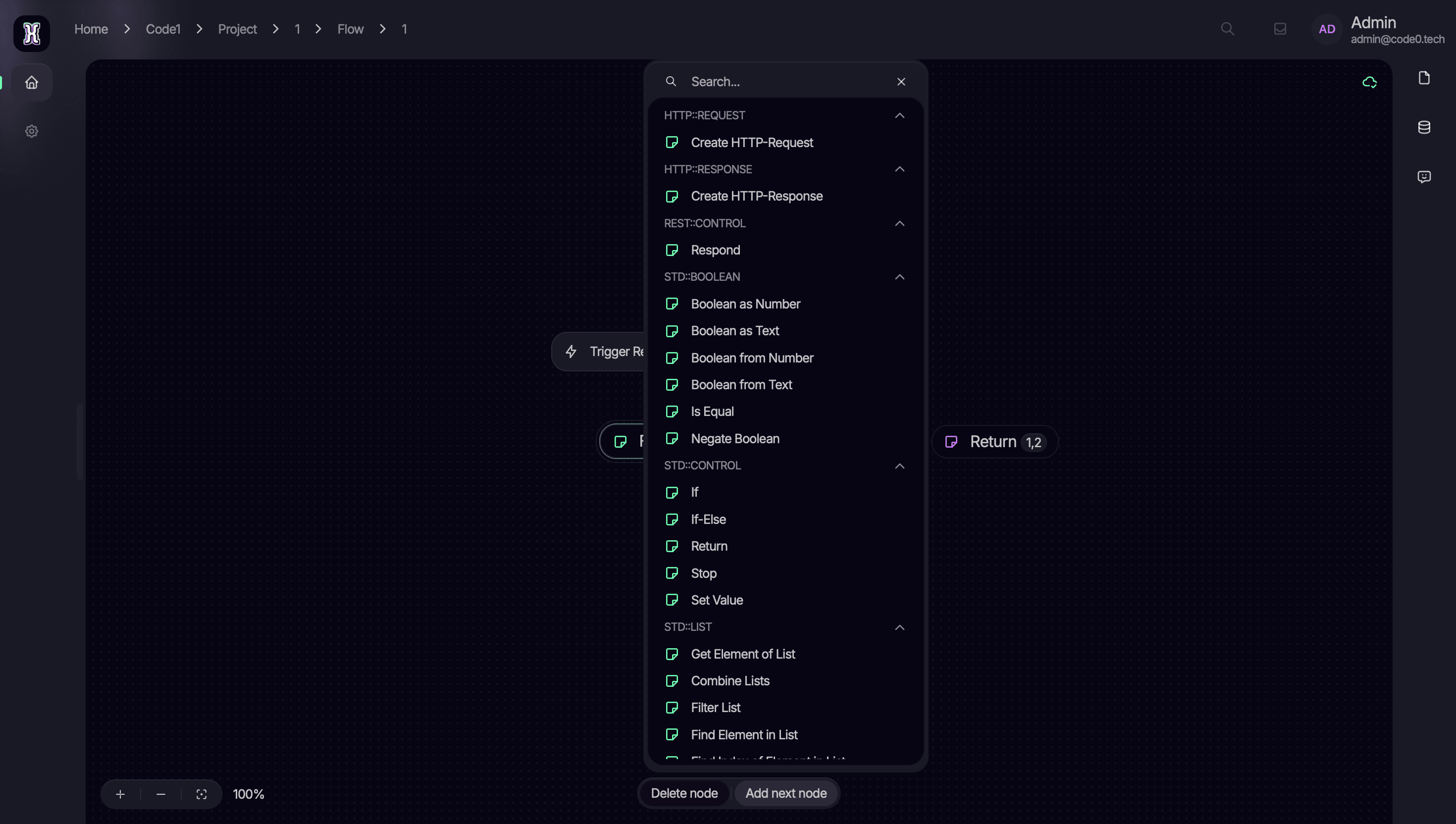
Efficiency in automation is not just about how fast a process runs, but how quickly it can be built. In the CodeZero Flow Builder, the transition from a conceptual idea to a functional node sequence is powered by the Suggestion Menu. This intelligent interface acts as a real-time catalog of your entire automation toolkit, ensuring that the right logic is always just a click away.
Intelligent Node Selection at Your Fingertips
The Suggestion Menu is the central entry point for expanding any flow. As you develop your automation, the menu provides a searchable and categorized list of every available node type. This includes everything from standard boolean logic and control flow operators to specialized HTTP request nodes. By presenting these options in a structured overlay, CodeZero eliminates the need to navigate deep sub-menus, allowing you to maintain your creative momentum.

A Library of Modular Capabilities
Every item in the Suggestion Menu represents a modular capability of the CodeZero runtime. These building blocks are organized into logical groups such as:
- Standard Control: Manage the flow of execution with "If-Else" conditions, "Return" statements, and "Stop" functions.
- Data Handling: Transform and validate information using boolean operations and list processing tools.
- External Integration: Trigger and respond to REST API calls to bridge your flow with third-party services.
Extensibility in Real-Time
Because CodeZero is built on a modular plugin architecture, the Suggestion Menu is dynamic. When you add new "Actions" via our Action SDK, the custom nodes and triggers defined in those plugins automatically populate the menu. This means that as you extend your runtime capabilities, your design interface evolves alongside it, immediately offering your new custom tools for use in any project.
Seamless Flow Construction
The menu is designed to support the "sequence of connected nodes" that defines a CodeZero flow. By allowing you to "Add next node" through a simple search, the interface helps you visualize the directed graph as it grows. This tight integration between the visual builder and the underlying logic parameters ensures that every connection is valid and every step is configured correctly from the start.
Conclusion: Empowering Fast and Flexible Automation
The Suggestion Menu is more than just a search bar; it is the bridge between your technical requirements and the Taurus execution engine. By making the platform's extensive library of nodes instantly accessible, CodeZero empowers you to build, test, and iterate on complex business logic with unprecedented speed. High-performance automation begins with an interface that works at the speed of your thoughts.